Maui Media Lab
Electronic Media Arts & Science
Advance Placement High School Curriculum
Digital Imaging & Computer Graphics Lesson Plan
Description
Students participating in this class will have an opportunity to learn how to create business cards,
note cards, a web page, a photo collage, a poster, a 3D computer graphic image as well as still images
and titles for a video production. Participants will learn to use professional caliber digital
imaging and computer graphics tools including Adobe Photoshop, Bryce and Logomotion and color
ink jet printers.
|
|
Goals
- create a sheet of business cards
- create a sheet of note cards
- create an image for a web page
- create a photo collage
- create a poster
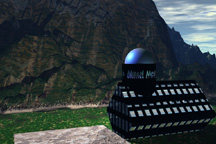
- create a 3D computer graphic image
- create a still image for a video
- create attractive titles for a video
|
Resources
- Computer
- Digital Imaging Software
- Computer Graphics Software
- Printer
- Graphics Tablet and Stylus
|
|
Classes
|
Teacher's Guide
The purpose of this class is to teach the elements of graphic design. Prohibit the use of print shop
type programs that specialize in multiple choice offerings of pre designed titles, posters and cards.
Emphasize the importance of quality, precision and detail.
Demonstrate how to create invitations, note cards, portraits, and photo collages.
It is important to provide access to a graphics tablet like those used by computer graphics
designers and professionals in real world applications.
Describe how computer graphics may be used to create printed images and well as images for video and
computer displays.

 Copyright 1994-2001, Maui Media Lab, SenseMedia Netcasting, SMN.COM, SenseMedia.Net are trademarks of Picosof Systems. Est. 1985. High performance Internet service provided by Aloha.com.