DescriptionComputers are a critical resource, necessary for the implementation of this curriculum. It is crucial to choose affordable computers that are powerful enough to run digital media applications, with the proper peripheral options.Teacher's GuideBe very selective when purchasing new computers. Resist attempts to sell you "industry standard" or computers "bundled" with free stuff. Make sure a computer meets your academic and compatibility requirements BEFORE you purchase it. Not all computers are alike, and a "cheap" computer that does not meet performance requirements, will simply be unusable.While it is often possible to install digital media software on older, legacy computers, most often performance is substantially less than what would be expected to be reasonably useful. Legacy computers are best often used for word processing and sometimes simple image processing, when possible. |
Recommendation for the 2000-2001 Academic Year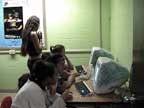 Maui Media Lab recommends Apple iMac Special Edition DV computers for class room use. We have found no
other computer in the ($1000-$1500) range that matches the performance, efficiency, ease of use and
compatibility with a wide range of digital media applications.
Maui Media Lab recommends Apple iMac Special Edition DV computers for class room use. We have found no
other computer in the ($1000-$1500) range that matches the performance, efficiency, ease of use and
compatibility with a wide range of digital media applications.Apple iMac computers are also very quiet and energy efficient, generate little heat and have no fan. Further, emulation software allows applications that are only available for Windows based computers to be smoothly run, on the iMac.
When these features are considered with the built in digital audio and video capabilites as well as the included and
available, free downloadable software, the Apple iMac Special Edition DV stands alone this year as the ultimate,
affordable class room computer. |